Benchmarks
Cutting a two-million-triangle model down for the web
MeshCrunch · Engineering ·
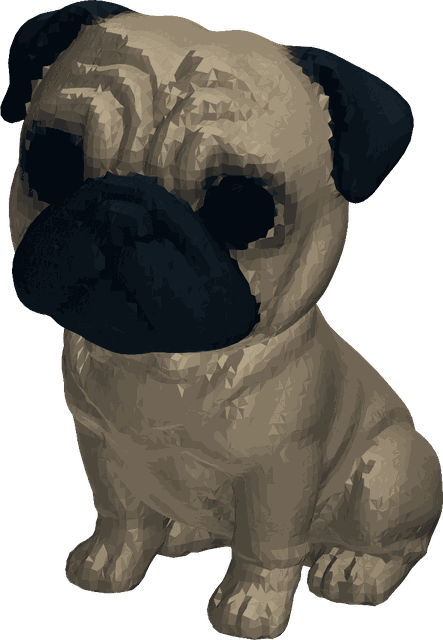
One AI-generated pug, 92.3 MB and 1,993,980 triangles, taken through auto simplification and a LOD chain. Every number is from a real run.
On this page
This pug was generated by an AI model and downloaded as an OBJ. It is 92.3 MB and 1,993,980 triangles, with per-vertex colours and no textures. It is a good-looking asset that no browser should ever be asked to download.
That shape of file is now everywhere. Generators produce dense, uniform meshes in seconds, and the result is usually too heavy to ship. Here is what it takes to fix one, measured rather than remembered.
One pass, in auto mode
Auto mode does not apply a ratio you chose. It searches for the smallest mesh whose measured deviation from the original stays inside a budget, and it stops when the next step would cost more than the budget allows.
On this asset it took seven passes and produced 71,136 triangles, which is 3.6% of the original. The file went from 92.3 MB to 1.4 MB as GLB.
- Triangles: 1,993,980 to 71,136.
- File size: 92.3 MB to 1.4 MB, a 98.5% reduction.
- Mean surface deviation: under 0.01% of the model's own size.
- Materials and normals preserved; no unexpected losses recorded.
Part of that file-size drop is the container rather than the geometry. An OBJ stores coordinates as text, and GLB stores them as binary, so some of the saving would have happened without removing a single triangle.
The QA report, before and after
Inspect runs in the browser and costs nothing, so it is worth running on both. On the original it reports valid geometry that is not ready for any delivery target. On the result, three of five targets pass.
Pushing it further
Auto mode is deliberately conservative. When the asset is only ever seen at a distance, the aggressive preset spends more of the budget and returns a much smaller mesh.
The three presets are near-lossless, balanced and aggressive, and near-lossless is the default. They set one number: how far the surface is allowed to move before the search stops.
The smallest useful version
A LOD chain decimates every level from the source rather than from the level above, so error does not compound as the ladder descends. Level 5 of this chain is 640 triangles and 13.7 KB.
That is a 99.97% reduction in triangles and 99.99% in bytes. It is also where the report starts pushing back: the bounding box is marked reduced, meaning the mesh no longer occupies quite the space the original did.
That matters if anything measures the asset. Placement, collision and physics all read the bounds, so a level that shrank is a level to use for distant rendering and not for anything that computes against it.
Which version to ship
- Hero asset, seen close: the auto result at 71,136 triangles.
- Mid-distance instances: a LOD level around a quarter of that.
- Background or repeated at distance: level 5, at 640 triangles.
- Anything that measures the model: check the bounds before using a deep level.
The useful habit is running Inspect twice. Once before, to see which delivery targets the asset fails, and once after, to see whether the version you produced actually passes them.